 EdgeNote
Your notes live at the edge of your screen.
Push your mouse to the right edge of Windows and EdgeNote slides in: sticky notes, spreadsheets, checklists, widgets and games. Move away and it tucks itself back.
For Windows 10 and 11. No card needed for the trial.
Always one move away
No window to find, no app to switch to. EdgeNote waits just off the side of your screen.
Push to the right edge
Move your mouse all the way to the right side of the screen, over whatever you're doing.
The panel slides in
Your notes, sheets and widgets are exactly where you left them. Type, tick, calculate.
Move away
Take the mouse back and the panel tucks itself away. Pin it if you'd rather it stayed.
What's inside
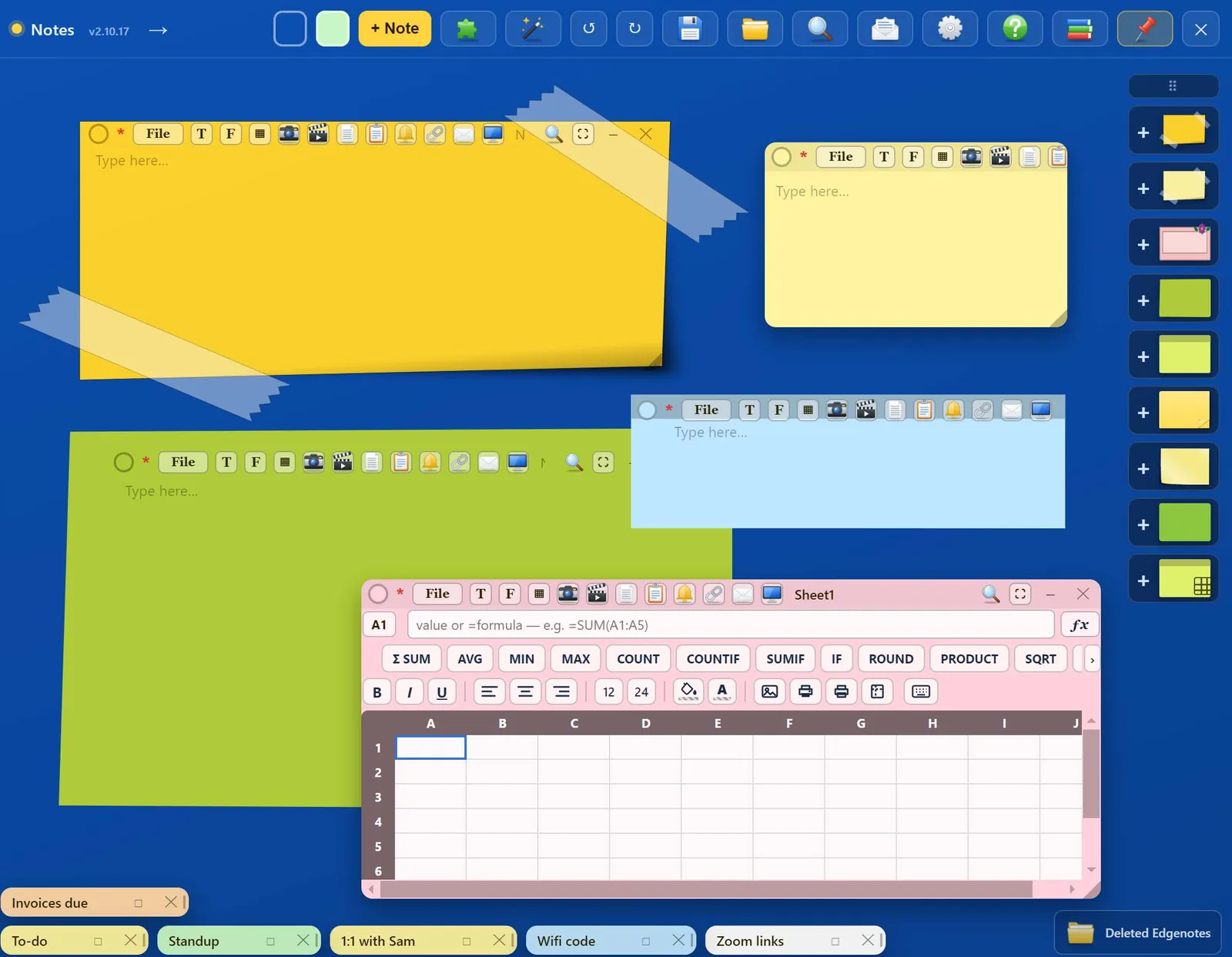
Sticky notes
- Plain, taped, floral and art designs in any colour
- Minimise a note to a small tab along the bottom
- Text, images, PDF pages and drawings in one note
- Predictive text as you type
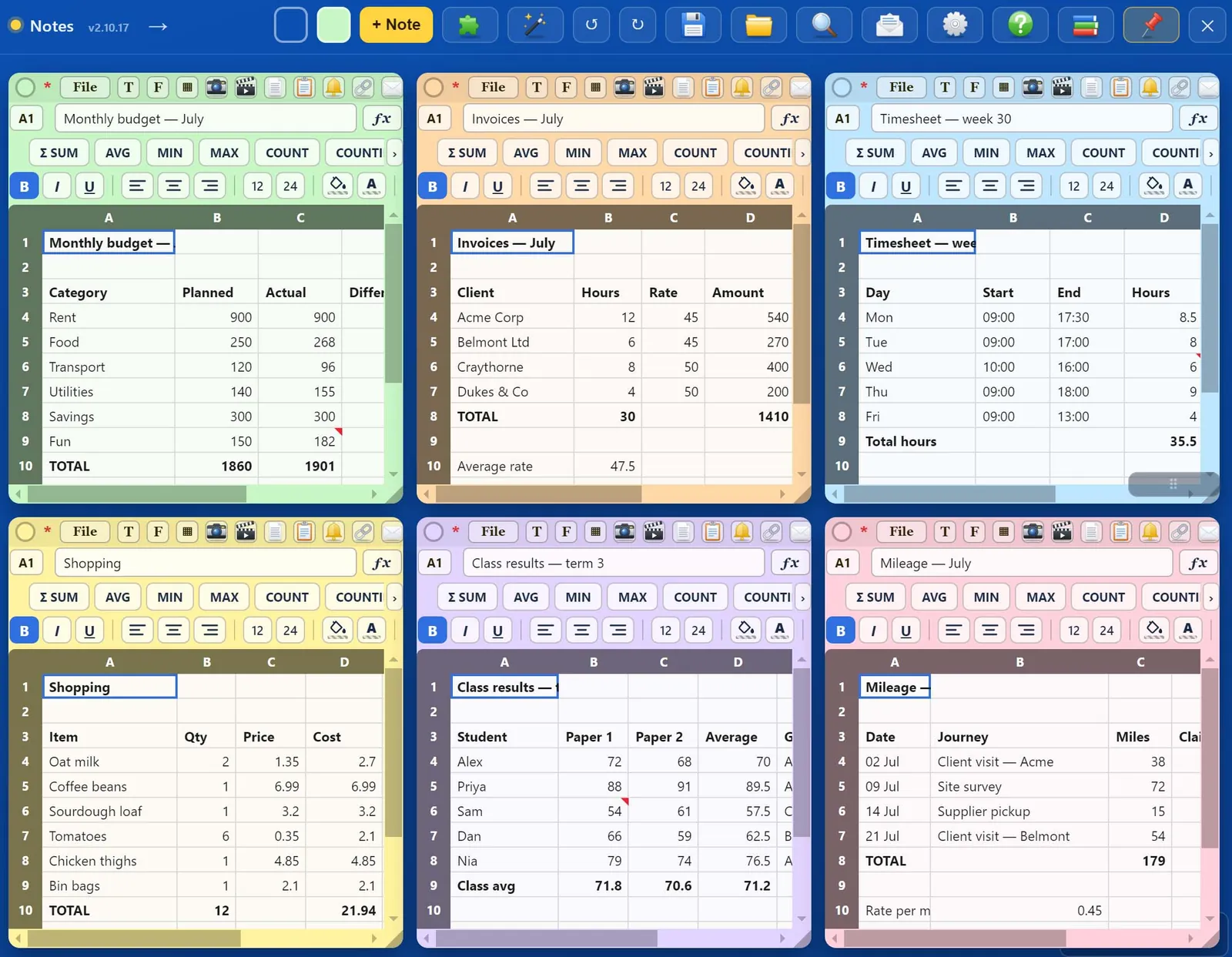
Spreadsheets
- Formulas like SUM, AVERAGE, IF and COUNTIF
- Bold, colours, pictures in cells
- A4 print preview, print or save as PDF
- Keyboard shortcuts that work like a desktop spreadsheet
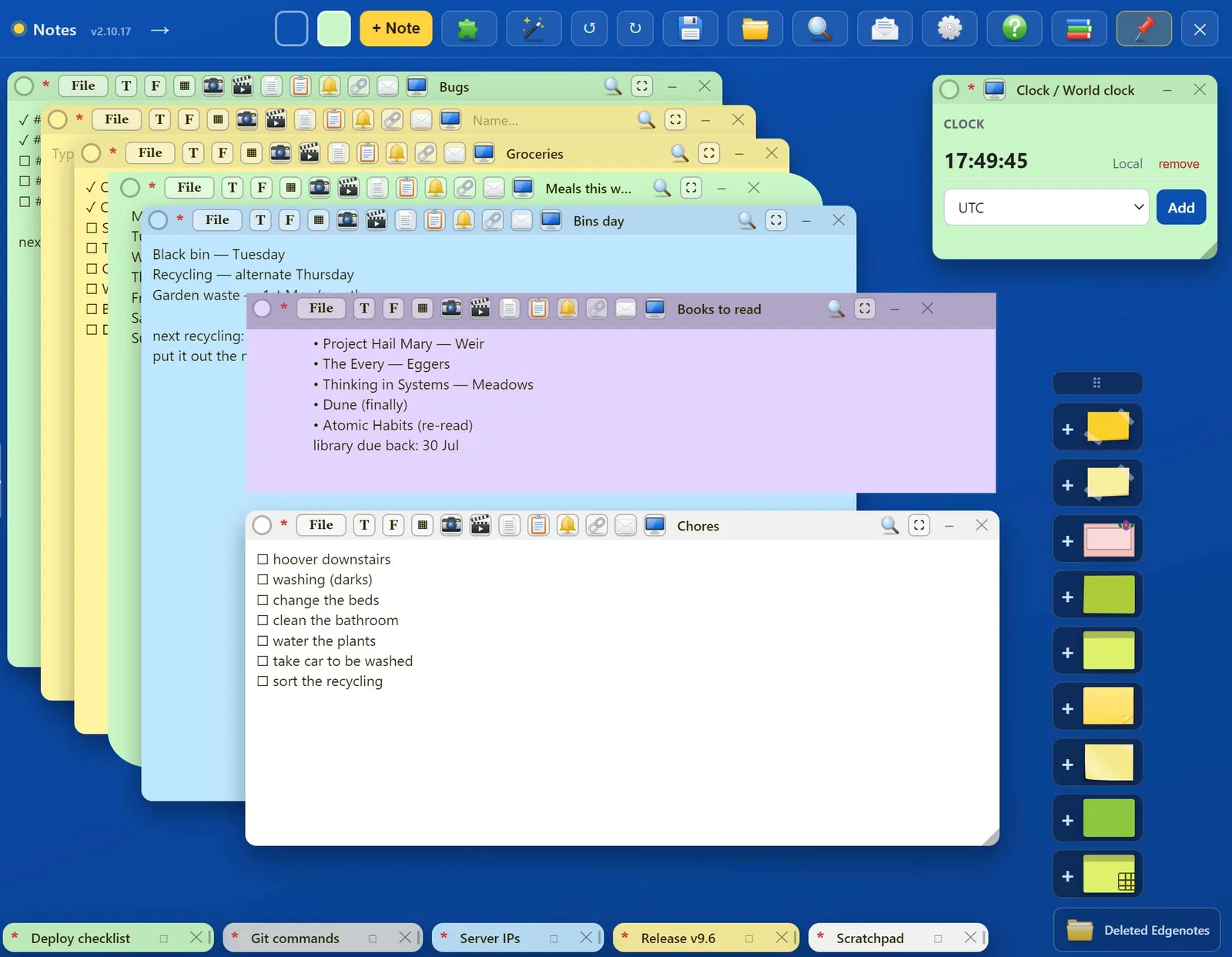
Checklists
- Tick items off as you go
- Stack notes and flick between them
- Pin a note on top of everything
- Search across all your notes
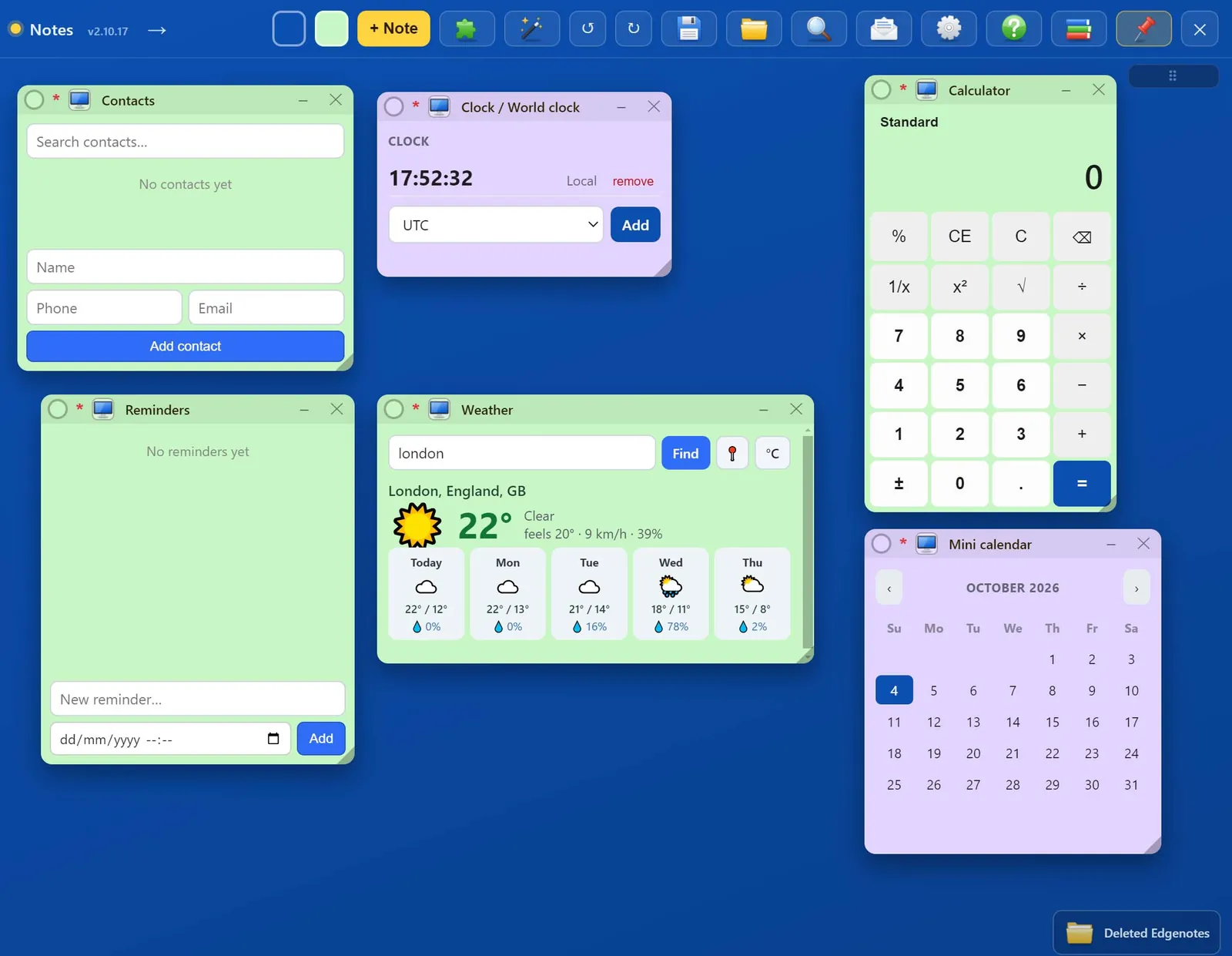
Widgets
- Clock, calendar, reminders and countdowns
- Calculator, unit and currency converters
- Weather, dictionary, QR codes, password generator
- Each one is a note you can move, resize or minimise
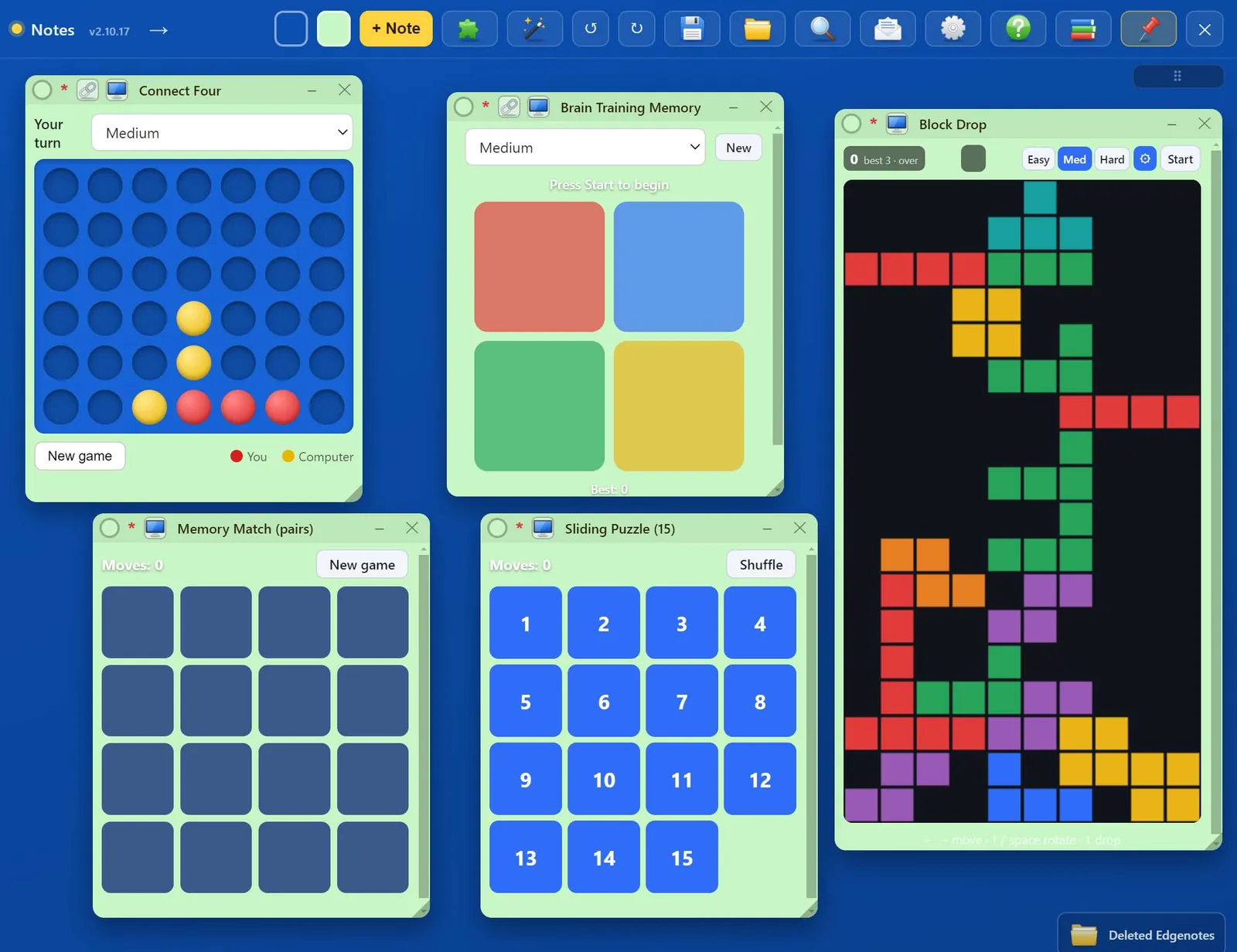
Games
- Connect Four against the computer
- Block Drop, sliding puzzle and memory games
- For a two-minute break, right there at the edge
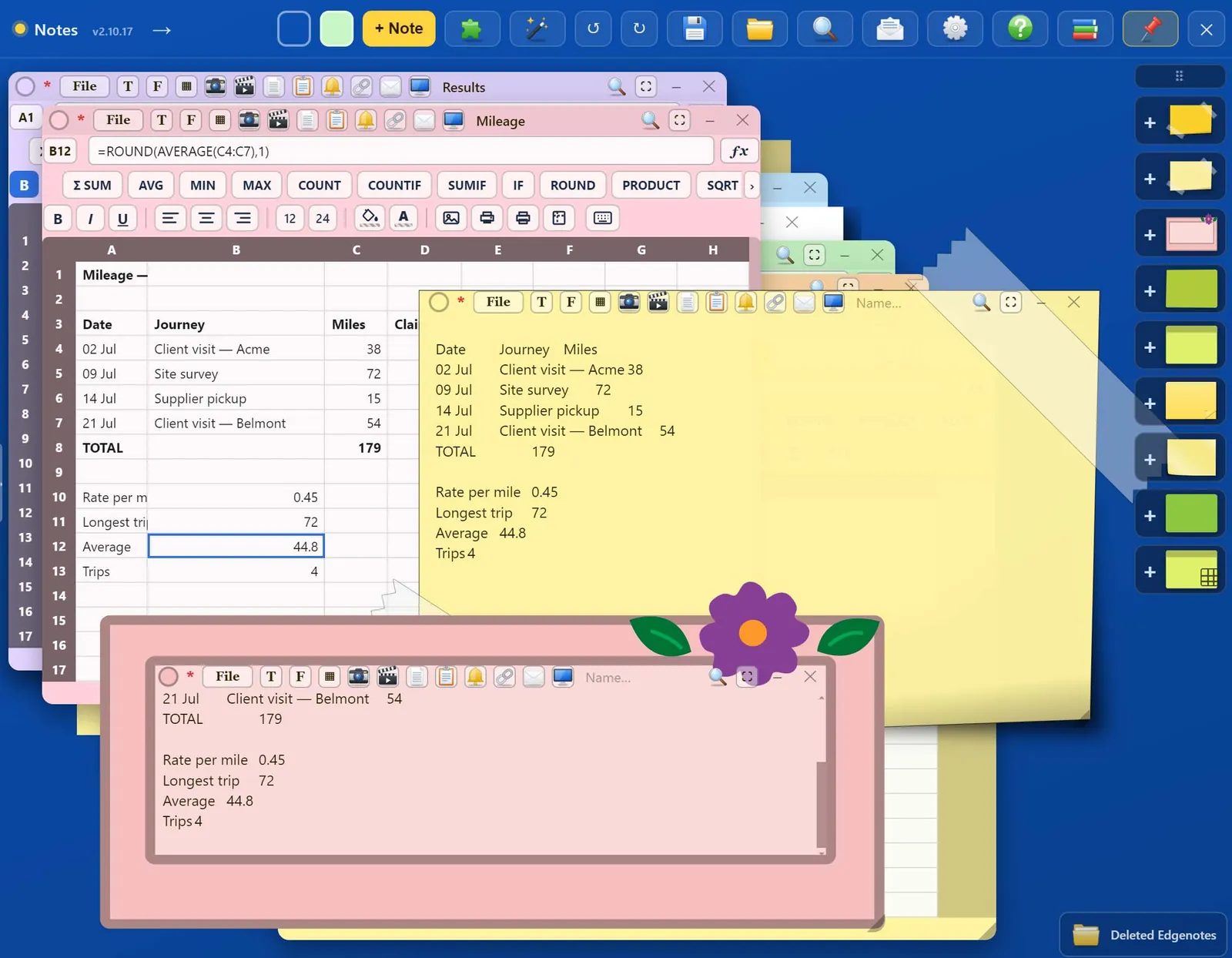
Note designs
- Taped, floral and art paper styles
- Five colour themes for the panel
- Send any note out to the desktop as its own window
Also in the panel
- Page designer. Make flyers, posters, invitations, folded cards, tri-fold brochures, booklets, certificates and orders of service, and print them on A4 or A5.
- Ready-made templates. Invoices, quotes, receipts, timesheets and budgets on A4, plus calendars, address labels and business cards to print.
- Desktop windows. Pop any note out onto the desktop, minimise it to a small tab or maximise it.
- Drawing pad. Sketch freehand, add shapes, and have your handwriting turned into text.
- Copy text from images. Right-click a screenshot in a note to copy the words out of it.
- Share a note. Send a note to another EdgeNote user and keep it in sync.
- Search everything. Find any word across all your notes and sheets.
- Undo and redo. Step back through your last 50 changes.
- Save and restore. Back up all your notes to a single file and load them on another PC.
- Arrange in one click. Cascade or grid your notes, then undo the arrangement.
- Themes. Five colour themes for the panel itself.
- Starts with Windows. Ready the moment you log in, if you want it to be.
Try it free for 15 days
Everything is unlocked during the trial. After that, subscribe to keep adding and editing. Your notes stay on your PC and stay readable either way.
One subscription covers up to three of your own PCs. Payment is handled by PayPal, and you can cancel any time from your PayPal account.

Keep EdgeNote after the trial
- Every feature, every update
- Up to 3 PCs
- Cancel any time in PayPal
Questions
Which Windows versions does it run on?
Windows 10 and Windows 11.
What happens when the 15-day trial ends?
Your notes are all still there and you can read them, but adding and editing is paused until you subscribe and enter your licence key.
Where are my notes stored?
On your own PC. They are not uploaded anywhere unless you choose to share a note with someone.
Can I use one subscription on more than one PC?
Yes, on up to three of your own PCs. If you change computers, release the old one from the Licence screen in Settings and activate the new one.