 EdgeNote
Microsoft Sticky Notes alternatives for Windows
Sticky Notes has moved inside OneNote. If you want notes that open instantly, stay on your own PC, or do more than hold a few lines of text, here are five options worth a look.
Updated October 2026. We make EdgeNote, one of the apps below, so we've tried hard to be fair to the others.
What changed with Microsoft Sticky Notes
For years, Sticky Notes was a small standalone app that opened in a second. Since late 2024 Microsoft has been replacing it with a new version built into OneNote. It added some good things, such as pinning a note on top of other windows and capturing a screenshot into a note.
It also changed how Sticky Notes works. It now arrives as part of OneNote, and to sync your notes and use every feature you sign in with a Microsoft account. Some people find it slower than the old app, and there have been reports of notes going missing during the move. If you already live in Microsoft 365, none of that may bother you. If you just wanted quick notes on your desktop, it might.
Just want to get started with the built-in app, or back up your notes? See our guide to sticky notes for Windows.
What to look for in a replacement
- Opens instantly. A notes app you have to wait for stops being used.
- Notes on your own PC. No account, and readable without the internet.
- Stays where you can see it. On the desktop or pinned above other windows.
- Search. Once you have twenty notes, you need to find things.
- Backup. A way to save your notes to a file and move them to a new PC.
- Room to grow. Checklists, pictures or a quick table when a note needs more than text.
The options at a glance
| App | Price | Best for |
|---|---|---|
| EdgeNote | Free for 15 days, then a subscription | Notes, checklists, spreadsheets and widgets in a panel that slides in from the screen edge |
| Simple Sticky Notes | Free | Classic sticky notes on the desktop, kept simple |
| Stickies | Free | Notes that appear only with a particular app, website or folder |
| Notezilla | Paid, with a free trial | Desktop notes that also sync to your phone |
| Microsoft Sticky Notes | Free with OneNote | People who already use OneNote and Microsoft 365 |
The alternatives in more detail
-
EdgeNote
EdgeNote keeps your notes in a panel just off the right edge of the screen. Push the mouse to the edge and it slides in over whatever you're doing; move away and it tucks itself back. Any note can also be popped out onto the desktop as its own window, the way Sticky Notes works.
- Good for
- People who want more than text: checklists, pictures, spreadsheets with formulas, a calendar, reminders and a drawing pad that turns handwriting into text. Notes are stored on your PC, with no account.
- Watch out for
- It isn't free after the trial. There's no phone app, and notes don't sync between PCs on their own; you back them up to a file and load it on the other PC.
-
Simple Sticky Notes
The closest thing to the old Sticky Notes experience. You get as many notes as you like on the desktop, with your own colours, fonts and transparency, and you can keep notes above other windows.
- Good for
- Anyone who liked the old app and wants that, quick and free.
- Watch out for
- It sticks to classic notes. If you want spreadsheets or widgets, you'll need something else.
-
Stickies
A long-running free app with one clever trick: you can attach a note to a particular program, web page, document or folder, so it only appears when that thing is on screen. It also has alarms that bring a note back at a set time, and it can send notes to other PCs on your network.
- Good for
- Notes that belong to one job, like a reminder that pops up whenever you open a certain spreadsheet.
- Watch out for
- The look is old-fashioned, and its website lists Windows 7 to 10, so check it suits your Windows 11 PC.
-
Notezilla
A fuller sticky-notes app with reminders, to-do lists and tags. Notes can stick to windows and websites, and optional cloud sync carries them to its iPhone and Android apps.
- Good for
- People who need the same notes on their PC and their phone.
- Watch out for
- It's paid, and some reviewers find the interface dated.
-
Microsoft Sticky Notes (in OneNote)
Staying put is a fair choice. The new version can pin notes on top and capture screenshots, and your notes show up in OneNote on your other devices.
- Good for
- Anyone already signed in to Microsoft 365 who wants notes everywhere.
- Watch out for
- It needs OneNote and, for syncing and every feature, a Microsoft account. Some people find it slower than the old app.
A closer look at EdgeNote
Screenshots taken on an ordinary Windows desktop, with EdgeNote version 2.10.
One move away, over any app
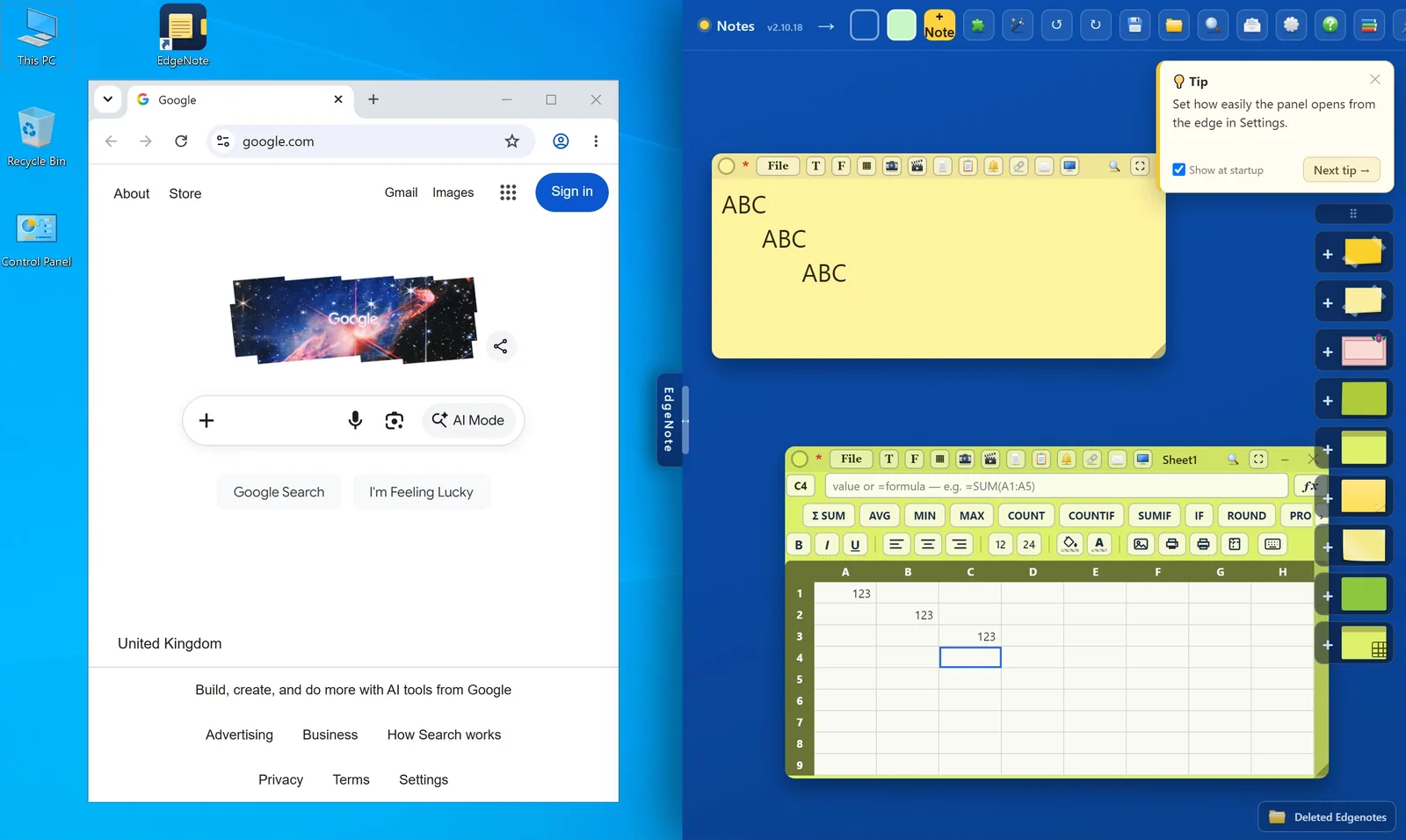
Working in a browser or a document? Push the mouse to the right edge and your notes slide in on top. Take the mouse away and you're back where you were. No window to find, nothing to switch to.
- Opens from the screen edge, over any app
- Pin the panel if you want it to stay
- Starts with Windows if you like
Notes on the desktop, like Sticky Notes
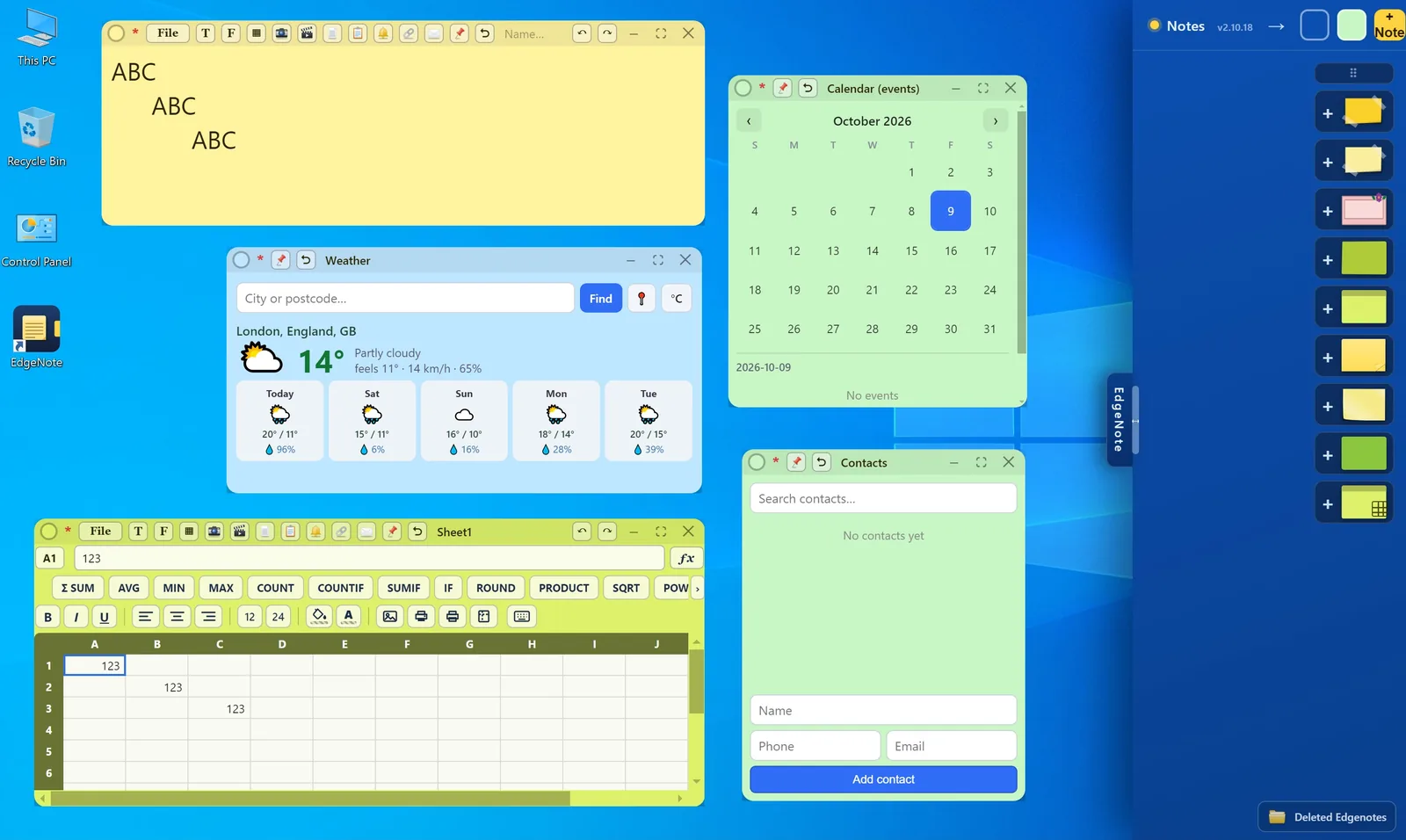
Any note or widget can leave the panel and sit on your desktop as its own window. Move it, resize it, pin it above other windows, or shrink it to a small tab.
- Pop out notes, spreadsheets and widgets
- Pin on top, minimise or maximise
- They stay where you put them
More than a few lines of text
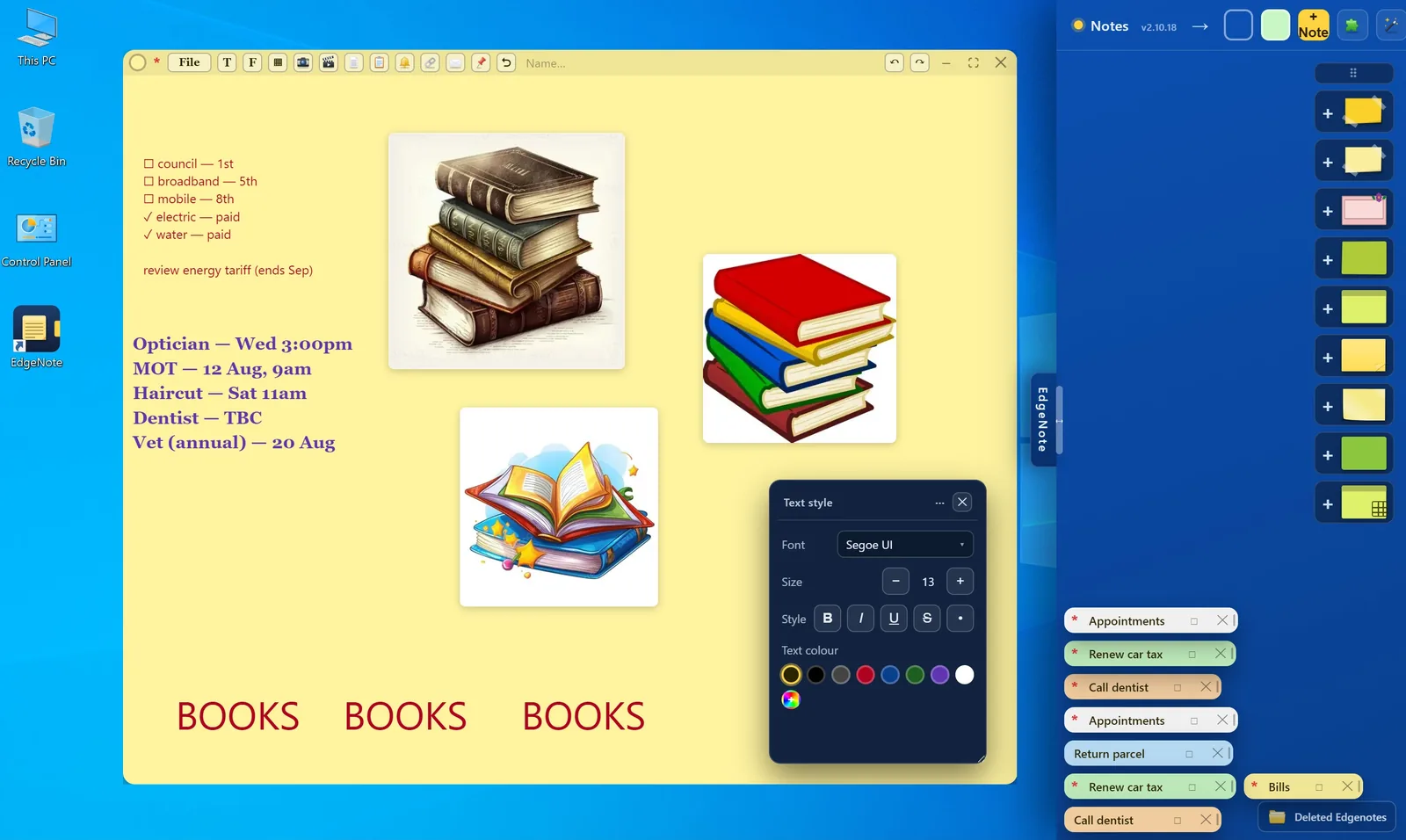
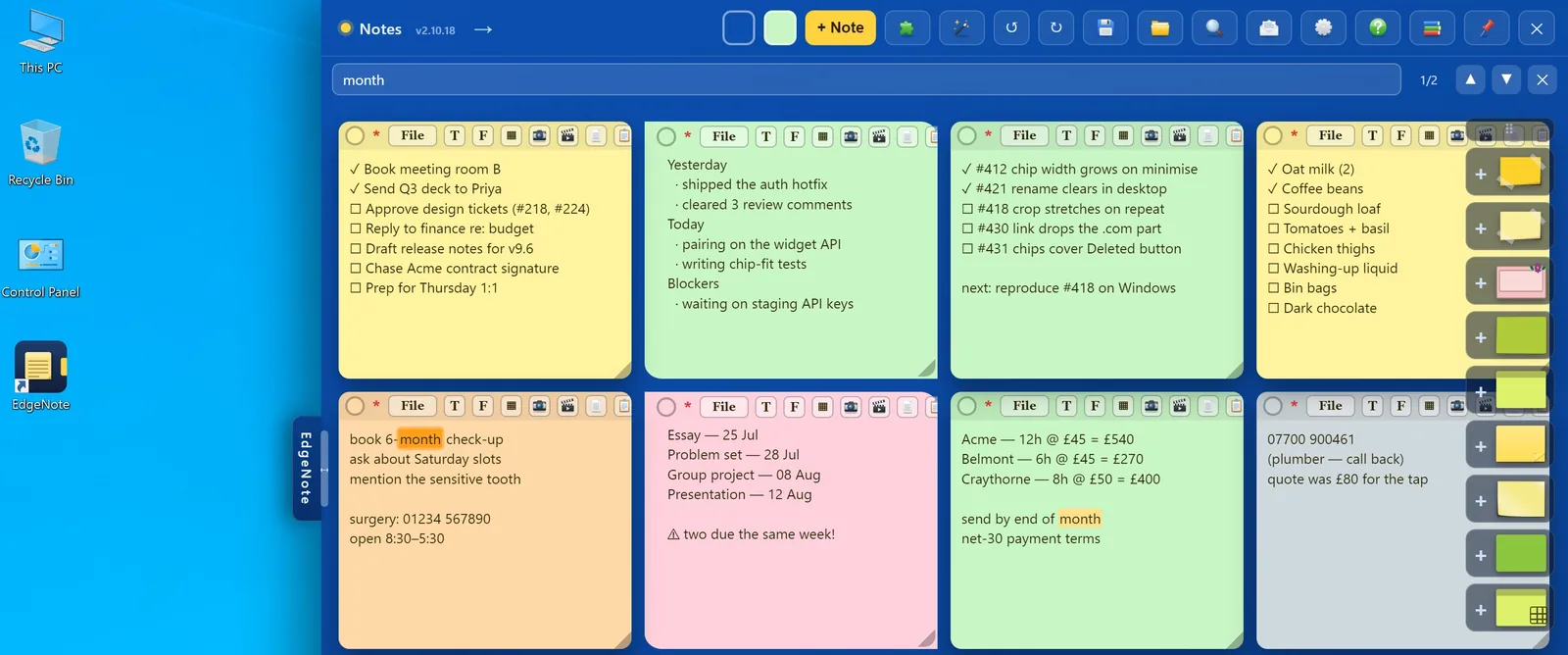
Type anywhere on a note, mix fonts and colours, tick off a checklist and drop in pictures, all on the same page. Minimised notes wait as small tabs along the side.
- Text anywhere, in any font and colour
- Pictures and PDF pages inside a note
- Checklists you can tick off
Find anything in seconds
Search looks through every note and spreadsheet at once and highlights each match, so the dentist's number or an invoice total turns up straight away.
- Searches all notes and sheets together
- Jumps between matches
- Undo and redo your last 50 changes
Handwriting that becomes text
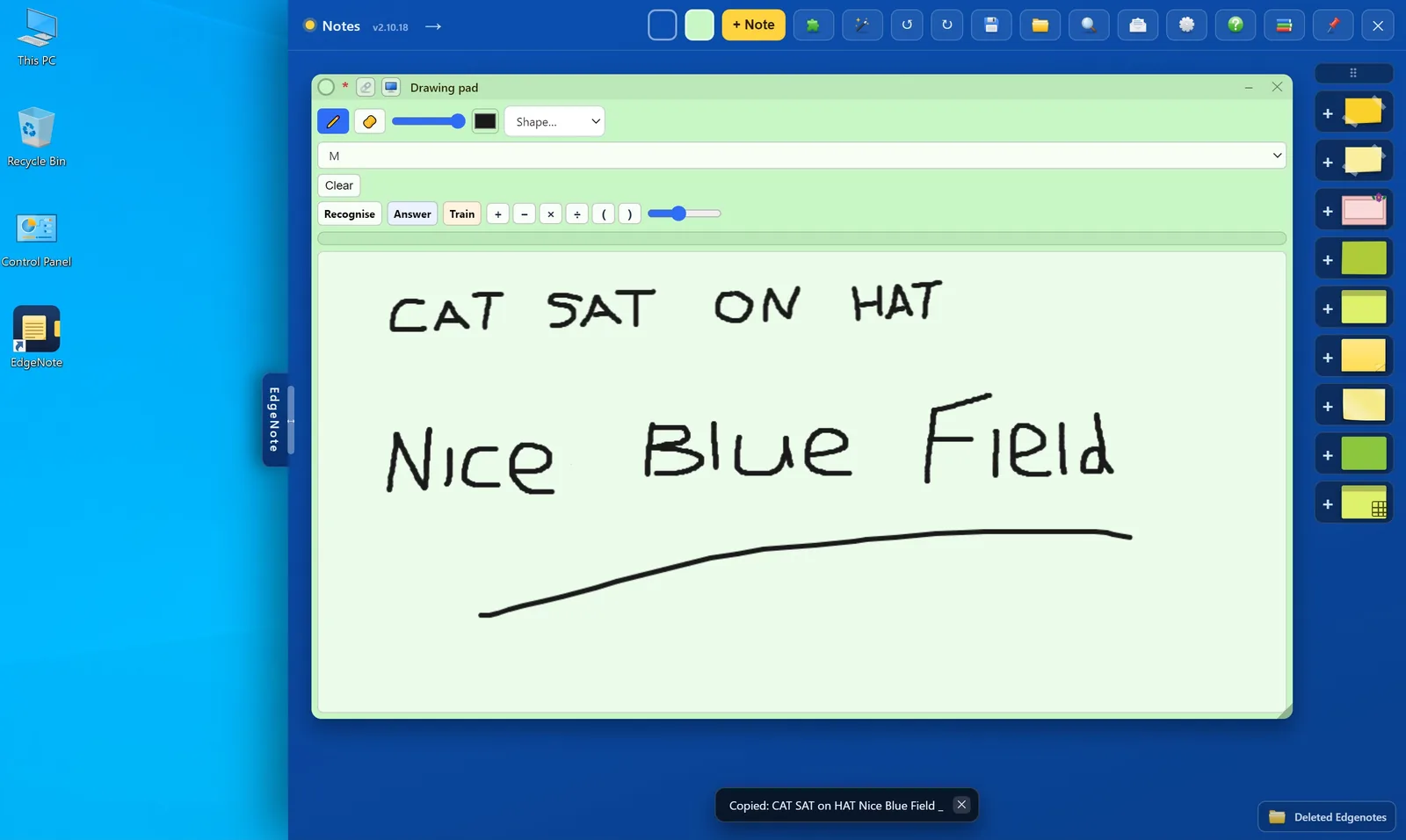
Miss writing on the old Sticky Notes with a pen or mouse? The drawing pad lets you sketch freely, add shapes, and then read your handwriting back as text you can paste anywhere.
- Pen, eraser, colours and shapes
- Recognise turns handwriting into text
- Answer works out a sum you've written
Try EdgeNote free for 15 days
Everything is unlocked during the trial, and you don't need a card or an account. If it isn't for you, one of the free apps above may suit you better.
Moving over from Sticky Notes is a matter of copying each note's text and pasting it into a new note. There's no automatic import yet.
After the trial
- Every feature, every update
- Up to 3 PCs
- Cancel any time in PayPal
- Your notes stay readable either way
Questions
Is Microsoft Sticky Notes going away?
No. It has changed rather than disappeared: the new Sticky Notes is part of OneNote. It still works well for many people, especially if you already use OneNote and a Microsoft account.
What is the best free alternative to Sticky Notes?
For classic desktop notes, Simple Sticky Notes is the closest to the old app. If you want notes tied to a particular program or website, Stickies does that, and it's also free.
Do I need an account to use EdgeNote?
No. Your notes are stored on your own PC and open without an internet connection. After the trial you enter a licence key; there's no account to sign in to.
Can I bring my notes over from Sticky Notes?
Not automatically yet. Copy the text of each note and paste it into a new EdgeNote note. Pictures can be pasted in the same way.
Which Windows versions does EdgeNote run on?
Windows 10 and Windows 11.