 EdgeNote
The best to-do list apps for Windows
Whether you want a simple list you can tick off or a full task manager with projects and reminders, here are the to-do list apps worth trying on Windows 11 and 10, free and paid.
Updated October 2026. We make EdgeNote, one of the apps below, so we've tried to be fair to the others.
The short answer
- Best free all-rounder: Microsoft To Do. Free, simple, and it syncs with Outlook. You need a Microsoft account.
- Best for lots of projects: Todoist or TickTick. Both have free plans, with more in the paid versions.
- Best for a list that's always in view: EdgeNote, with checklists at the edge of your screen and no account needed.
At a glance
| App | Price | Account needed | Best for |
|---|---|---|---|
| Microsoft To Do | Free | Yes, Microsoft | Everyday lists that sync with Outlook and your phone |
| Todoist | Free plan, Pro paid | Yes | Projects, labels and natural typing ("call Sam tomorrow 3pm") |
| TickTick | Free plan, Premium paid | Yes | Tasks plus a calendar, habits and a focus timer |
| Microsoft Sticky Notes | Free | Only to sync | A quick list on the desktop |
| EdgeNote | 15 days free, then a subscription | No | Checklists always one move away, on your own PC |
-
Microsoft To Do
Microsoft's own to-do app is clean and free, with no paid tier. Make lists, add due dates and reminders, and use "My Day" to pick what to do today. Tasks also show up in Outlook.
- Good
- Free, simple, syncs to your phone and with Outlook.
- Not so good
- You must sign in with a Microsoft account, and it's basic for big projects.
-
Todoist
A popular task manager with projects, labels, priorities and quick typing: write "pay invoice every Friday" and it sets up the repeat. According to TechRadar, the free plan allows 5 active projects, and Pro adds reminders and many more projects.
- Good
- Fast, tidy, and works everywhere.
- Not so good
- Reminders and bigger limits need the paid plan.
-
TickTick
Tasks with a built-in calendar, habit tracker and focus timer. The free plan includes recurring tasks and reminders; Premium adds extra calendar views and filters.
- Good
- A lot for free, including reminders.
- Not so good
- Busy if you just want a simple list.
-
Microsoft Sticky Notes
Not a to-do app as such, but plenty of people keep their list on a sticky note. It's quick, already on your PC, and sits on the desktop. There are no tick boxes or due dates, though. See our guide to sticky notes for Windows.
- Good
- Already there and very quick.
- Not so good
- No checkboxes, reminders or due dates.
-
EdgeNote
EdgeNote keeps your lists in a panel at the right edge of the screen. Push your mouse to the edge and they slide in over whatever you're doing, ready to tick off; move away and they tuck themselves back. Pin a checklist to the desktop if you want it in view all day.
- Checklists you tick off, alongside sticky notes, spreadsheets and drawings
- Reminders, countdowns and a calendar as desktop widgets
- Ready-made notes such as a weekly to-do, daily planner and packing list
- Everything stored on your PC, with no account, and searchable
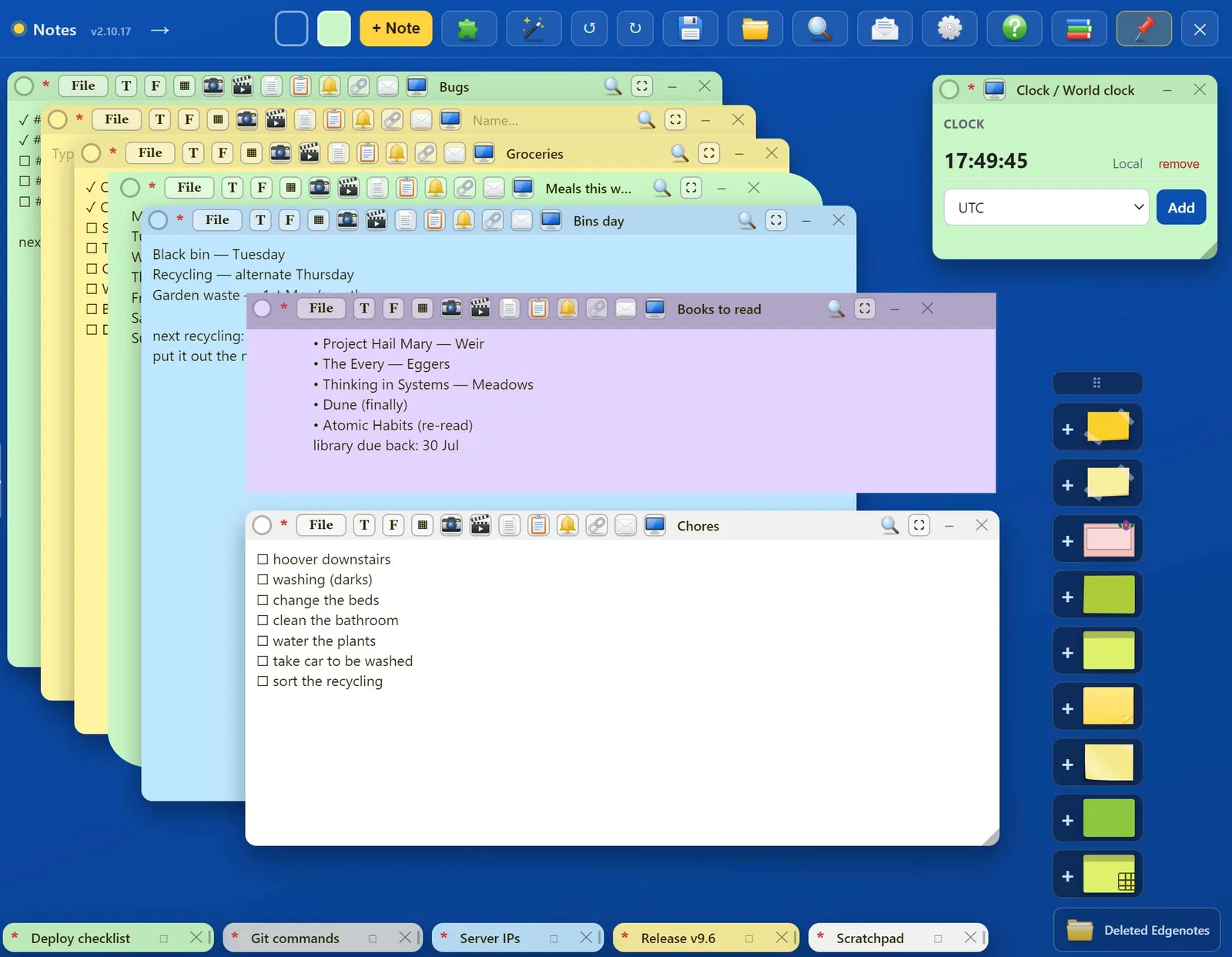
Checklists in EdgeNote's panel at the edge of the screen. - Good
- Always one move away, works offline, no account.
- Not so good
- Windows only, and no phone app to sync with.
How to choose
- Need it on your phone too? Microsoft To Do, Todoist or TickTick, which all sync.
- Want reminders for free? Microsoft To Do or TickTick.
- Don't want an account or your lists online? EdgeNote or Sticky Notes without signing in.
- Prefer paper? Print our free 2027 calendar and plan by hand.
Questions
Does Windows 11 have a built-in to-do list app?
Not built in as such, but Microsoft To Do is free from the Microsoft Store, and it comes already installed on some PCs. Sticky Notes is built in for quick lists.
What's the best free to-do list app for Windows?
For most people, Microsoft To Do: it's completely free, with no paid tier. If you want more features for free, try TickTick's free plan.
Is there a to-do list app that works without an account?
Yes. EdgeNote stores your lists on your PC with no account, and Sticky Notes works without signing in, although it won't sync.
Can I keep my to-do list on the desktop?
Yes, with Sticky Notes or EdgeNote, which can pop a checklist out onto the desktop and pin it on top of other windows. See how to keep notes on top.