 EdgeNote
Free certificate templates
Six A4 certificates for work, school, clubs and courses, plus two gift vouchers. Type your wording in Word or straight into the PDF, then print. Free, no sign-up, and nothing about us on the certificate.
Updated October 2026. Made by the people behind EdgeNote. More in our free templates.
Pick a format
- Word (.docx): change any of the words, including the title. The design sits behind the text.
- Fillable PDF: type the name, date and wording into the boxes in Edge, Chrome or Adobe Reader. No Word needed.
- Printable PDF: print it blank and write the name in by hand, which looks lovely with a good pen.
Certificate templates
All A4 landscape. Click a picture to see it bigger.
-
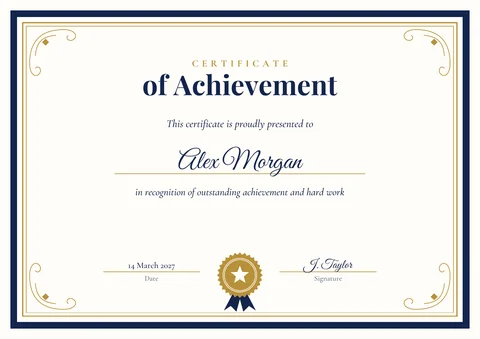
Certificate of Achievement
For a goal reached, a sports win or top marks.
-

Certificate of Appreciation
To thank a volunteer, a colleague or a helper.
-

Certificate of Completion
For a course, training day or programme, with a line for its name.
-
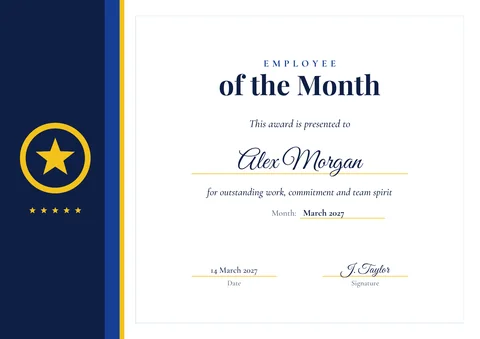
Employee of the Month
A modern award for work, with a line for the month.
-
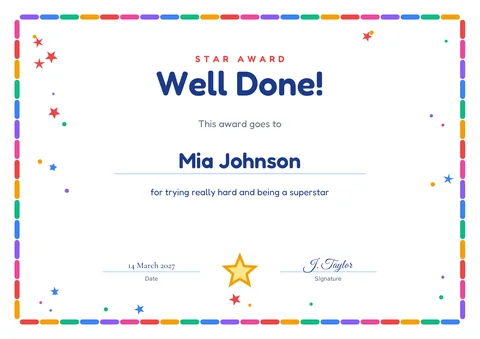
Well Done award for children
Bright and cheerful, for school, clubs and home.
-
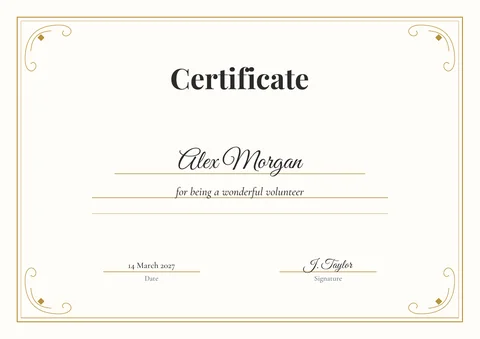
Blank certificate
A classic border with your own title and wording.
Gift certificate templates
Three vouchers on each A4 page, with lines to cut along. Fill in who it's for, who it's from, the amount, an expiry date and a number.
-
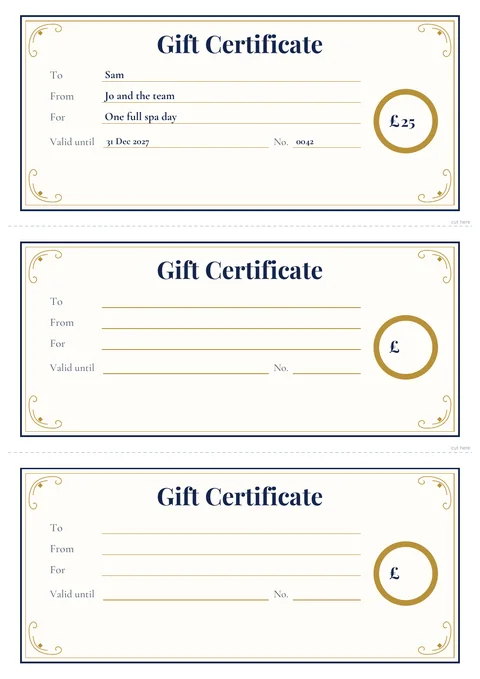
Classic gift certificate
Navy and gold, for salons, restaurants, shops and studios.
-
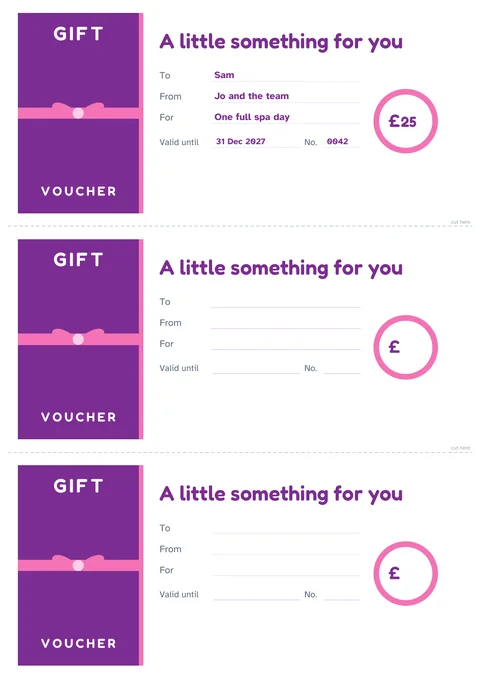
Bright gift voucher
A cheerful ribbon design for birthdays and presents.
What to write on a certificate
Keep it short: who it's for, what it's for and who it's from. Some wording to borrow:
- Achievement
in recognition of outstanding achievement in the 2027 spelling bee
- Appreciation
with sincere thanks for ten years of volunteering at the food bank
- Completion
has successfully completed Food Hygiene Level 2
- Employee of the month
for going above and beyond for our customers in March
- Children
for being kind, helpful and a brilliant reader this term
- Sport or club
Most Improved Player, Under 11s, 2026–27 season
Write out the date in full (14 March 2027) so it reads well, and have the person giving the award sign it by hand, even when you've typed everything else.
How to print certificates
- Load white or cream card into your printer. 160 to 250 gsm feels like a proper certificate; check your printer's manual for the thickest card it takes.
- Choose A4, landscape (portrait for the gift vouchers) and Actual size or 100%.
- Switch on background graphics or colours if your printer settings offer it, so the borders print.
- Print one on plain paper first to check everything lines up.
Make your own certificate in EdgeNote
EdgeNote, our notes app for Windows, has a page designer for certificates, invitations, flyers and cards. Start from a ready-made design and make it yours:
- Open EdgeNote and click Templates at the top of the panel.
- Choose the Designs tab, then Certificate.
- Click any words to change them, move things around, change the colours or add your logo.
- Print it or save it as a PDF.
More free templates
Questions
Are the certificate templates really free?
Yes. Download them, print as many as you like and use them at work, school, clubs or home. There's no sign-up and nothing about us on the certificates.
Can I change the title, like "Certificate of Achievement"?
In the Word version, yes: every word is normal text you can change. In the PDFs the titles are fixed, except on the blank certificate, where the title is a box you type into.
Why does the name look different in Word?
The Word templates use fonts that come with Windows. If your computer doesn't have one of them, Word uses a similar font instead. Pick any font you like from Word's font menu.
Can I add my logo?
Yes, in the Word version: Insert, then Pictures, then set the picture to "In front of text" and drag it into place. You can do the same in EdgeNote's page designer.
Will they print on US Letter paper?
Choose "Fit to page" when printing. They're designed for A4, so the margins will be slightly different.
How do I fill in the gift vouchers?
Open the fillable PDF and type into the boxes on each of the three vouchers, then print and cut along the dashed lines. Or print the blank version and fill them in by hand.