 EdgeNote
Free invitation templates
Birthday, children's party, milestone birthday, wedding, save the date and party invitations, ready to fill in and print at home. Each one is A5, so two fit on a sheet of A4. Free, no sign-up, and nothing about us on your invitations.
Updated October 2026. Made by the people behind EdgeNote. More in our free templates.
Pick a format
- Word (.docx): change every word, including the headings. The design sits behind the text.
- Fillable PDF: type the names, date and place into the boxes in Edge, Chrome or Adobe Reader. No Word needed.
- Blank PDF: two invitations on one A4 sheet, ready to print and fill in by hand.
Invitation templates
All A5 portrait. Click a picture to see it bigger.
-
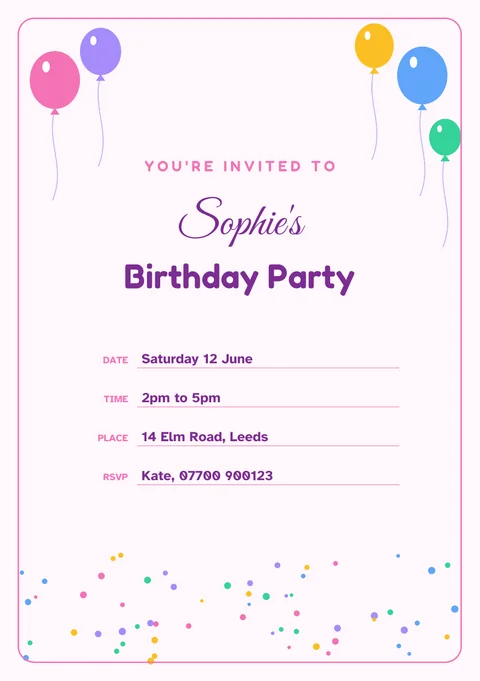
Birthday party
Balloons and confetti, for any age.
-
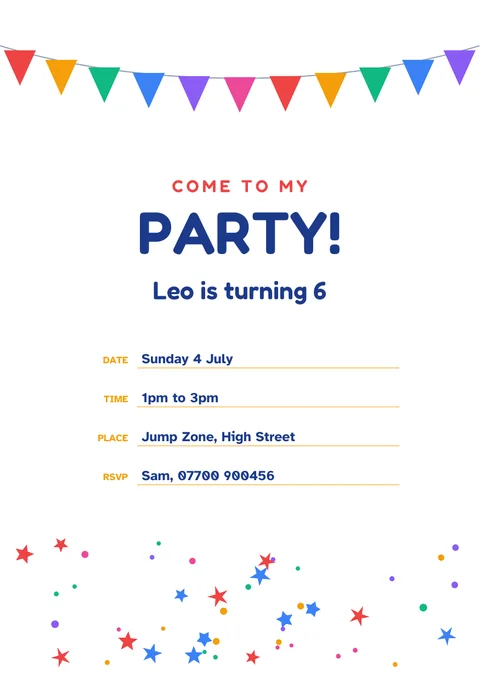
Children's party
Bright bunting and stars. Add their name and age.
-
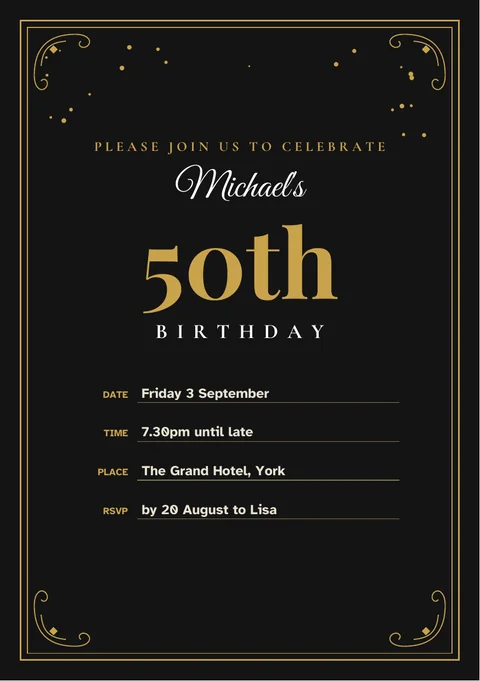
Milestone birthday
Black and gold for a 30th, 40th, 50th or 60th.
-
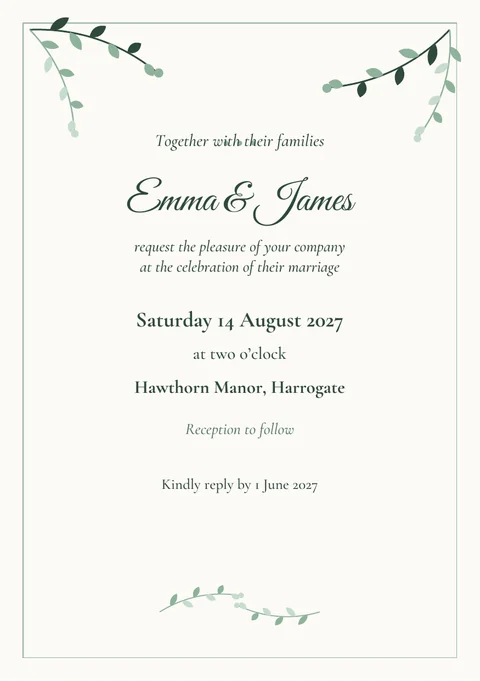
Wedding invitation
Soft greenery and classic wording.
-
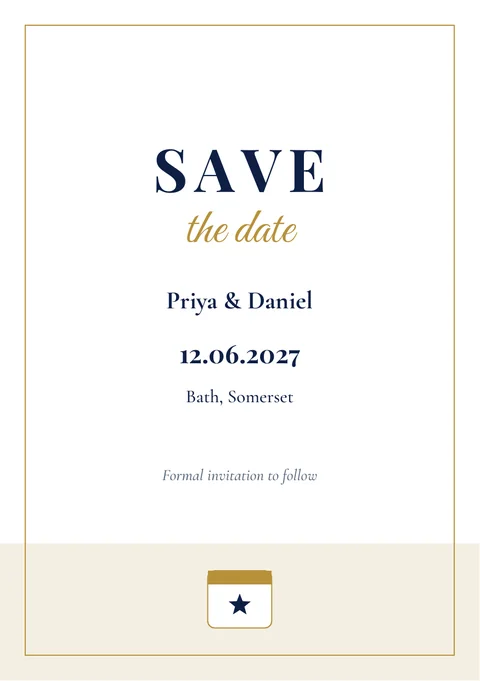
Save the date
Send it early so guests keep the day free.
-
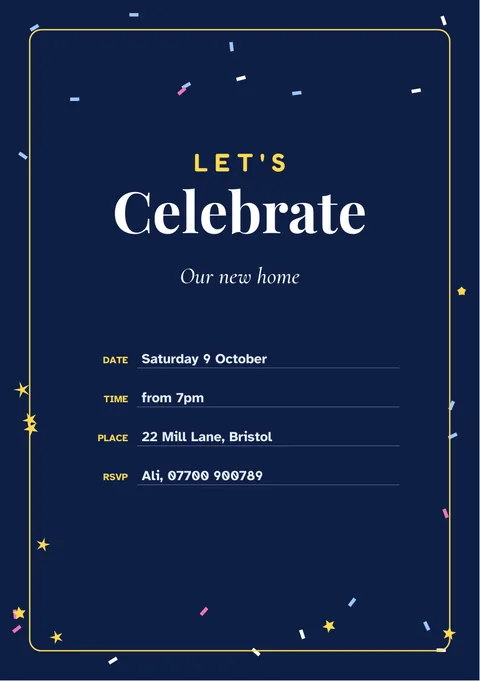
Party (any occasion)
Housewarming, engagement, leaving do or just because.
What to put on an invitation
- Who it's for, or whose party it is
- What you're celebrating
- When: the day, date and start time, plus an end time for children's parties so parents know when to collect
- Where: the full address with the postcode, so guests can find it on their phone
- RSVP: who to reply to, how, and by when
- anything else guests need to know, such as a dress code, parking, or "please bring a swimsuit"
Wording ideas
- Birthday
Come and celebrate Sophie's 30th with drinks, food and dancing
- Children's party
Leo is turning 6! Join us for games, cake and a bouncy castle
- Milestone birthday
Please join us to celebrate Michael's 50th birthday
- Wedding
Together with their families, Emma and James request the pleasure of your company
- Save the date
Priya and Daniel are getting married. Save the date: 12 June 2027
- Party
We've moved! Come and see our new home and raise a glass with us
When to send invitations
As a rough guide:
- Children's parties: two to three weeks before
- Birthday and other parties: three to four weeks before
- Weddings: about two months before, with the reply date three or four weeks before the day
- Save the dates: six months to a year before a wedding, longer if guests need to travel
How to print your invitations
- Load white or cream card. 200 to 300 gsm feels like a proper invitation; check how thick a card your printer takes.
- Blank PDF: print on A4, landscape, at actual size, then cut down the middle to get two invitations.
- Word or fillable PDF: print on A5 card, or on A4 using "2 pages per sheet". In Word, that's in File → Print, in the last setting under "Settings". A5 is exactly half of A4, so nothing shrinks.
- Switch on background graphics or colours if your printer offers it, so the designs print.
Design your own in EdgeNote
EdgeNote, our notes app for Windows, has a page designer for invitations, folded cards, flyers and posters. Start from a ready-made design, add your own photo, and print it:
- Open EdgeNote and click Templates at the top of the panel.
- Choose the Designs tab, then Party invitation, or Birthday card (folded) for a card that folds in half.
- Click any words to change them, move things around, change the colours or add a picture.
- Print it or save it as a PDF.
More free templates
Handing out prizes at the party? Our certificate templates include a children's "Well Done" award, and our gift vouchers make an easy present. Planning ahead? Pick a date on our printable 2027 calendar.
Questions
Are these invitation templates really free?
Yes. Download them, print as many as you like and send them to your guests. There's no sign-up, and nothing of ours on the invitations.
Can I change the wording?
In the Word version, every word can be changed, including "Birthday Party" or "Save the date". In the PDFs, you type the names, date, time and place into the boxes, and the headings stay as they are.
Why does the writing look different in Word?
The Word templates use fonts that come with Windows, such as Segoe Script for names. If your computer doesn't have one, Word uses a similar font. You can pick any font you like.
Can I add a photo?
Yes, in the Word version: Insert, then Pictures, then set the picture to "In front of text" and drag it into place. EdgeNote's page designer also lets you add photos.
Can I send them by email or WhatsApp instead?
Yes. Fill in the Word or fillable PDF version and save it as a PDF, then attach it to your message. Or take a screenshot of it to share as a picture.
What size are the invitations?
A5 (148 × 210 mm), which is half a sheet of A4. They fit C5 envelopes.