 EdgeNote
Free flyer templates
Six ready-made flyers for a business, a grand opening, a sale, a community event, classes and a gathering. Each one comes in A4 and A5, to change in Word or type into as a PDF, then print. Free, no sign-up, and nothing about us on your flyer.
Updated October 2026. Made by the people behind EdgeNote. More in our free templates.
Pick a format
- Word (.docx): change every word, and add your own logo or photo. The design sits behind the text, so it stays put while you type.
- Fillable PDF: type your details into the boxes in Edge, Chrome or Adobe Reader. No Word needed. The big headline words, like "SALE", are part of the design.
- A4 or A5: every design comes in both. A4 for posters and noticeboards, A5 (half the size) for handing out and posting through doors.
Flyer templates
Every design in A4 and A5. Click a picture to see it bigger.
-
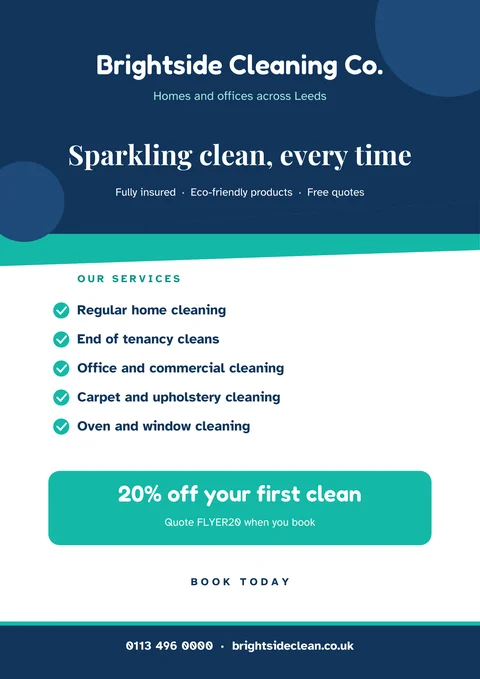
Business flyer
Services, an offer and your contact details. For cleaners, trades, salons and shops.
-
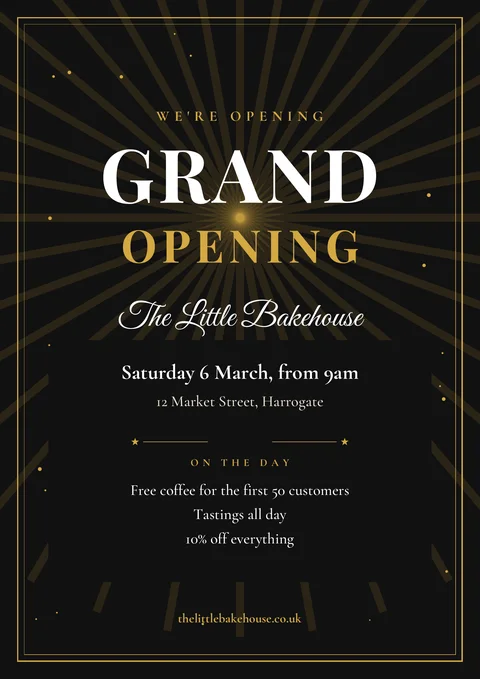
Grand opening
Black and gold, for a new shop, café or salon opening its doors.
-
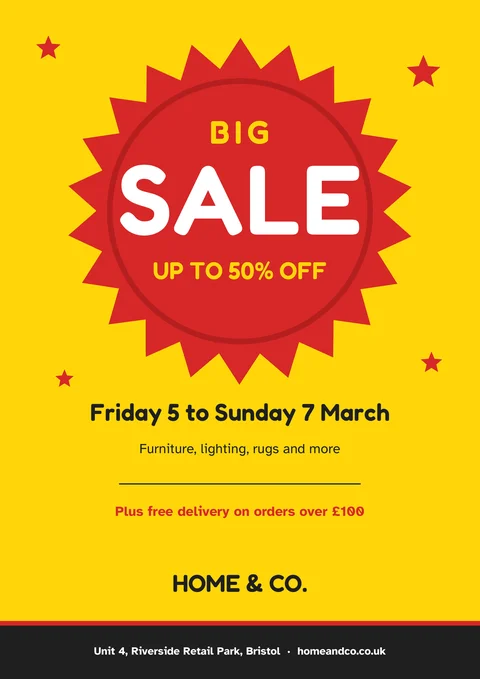
Sale
A big red burst that gets noticed. Add your dates and offer.
-
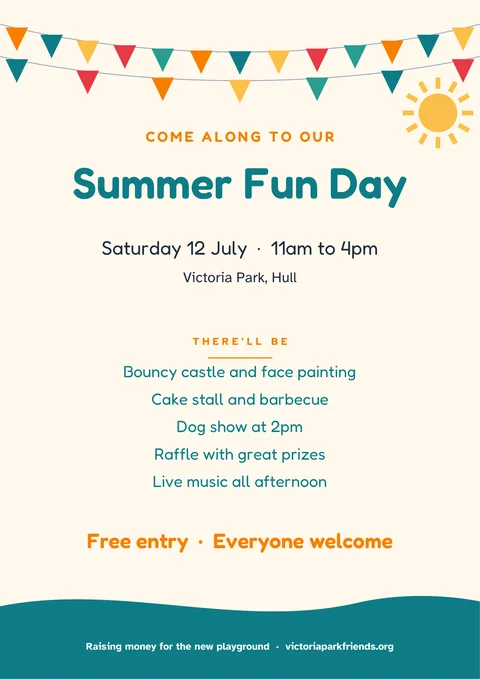
Community event
Bunting and sunshine for fun days, fêtes, fundraisers and fairs.
-
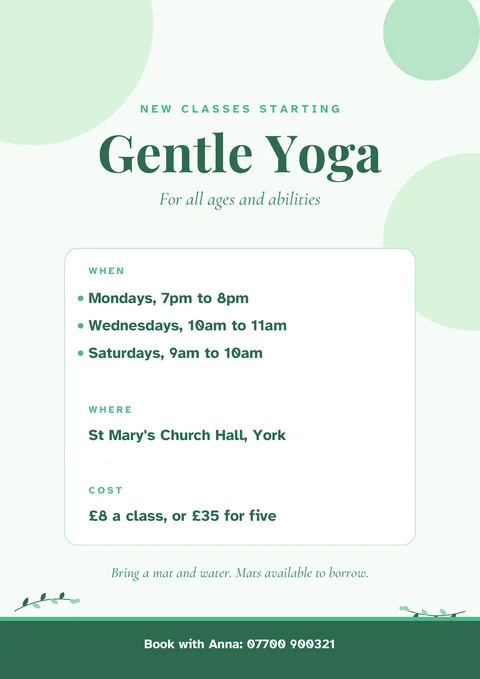
Classes or club
Days, times, place and price, for yoga, fitness, music or any club.
-
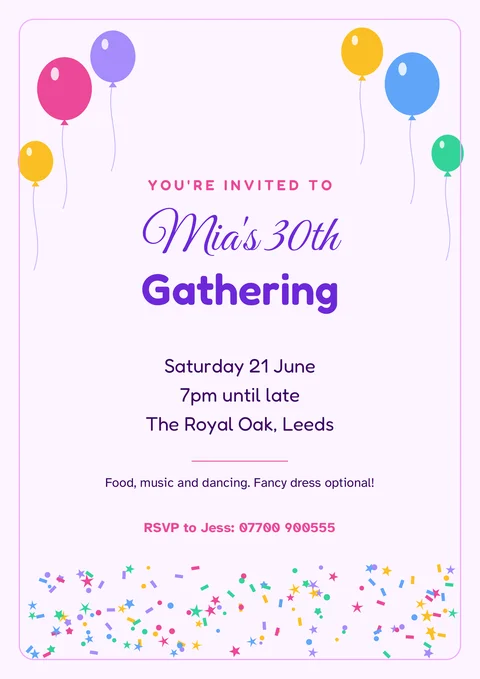
Gathering
Balloons and confetti for a gathering at home, a pub or a hall.
The wording is an example. In Word, click any line to type over it.
How to make a flyer people actually read
- One big message. Someone glancing at a noticeboard gives a flyer a couple of seconds. Make the headline say what it is: "Sale", "Grand opening", "Yoga classes".
- Then the details people need. What, when, where, and how much. Keep each to a line.
- Give a reason to act now. An offer, a date or "first 50 customers" works better than "call us sometime".
- Make it easy to get in touch. A phone number and a website or email, in large clear text at the bottom.
- Leave space. A flyer with less on it is easier to read from across the room.
Printing your flyers
- Paper: ordinary 80gsm paper is fine for handing out. For posters and noticeboards, 120 to 170gsm looks and lasts better.
- Edges: most home printers leave a thin white border round the page. That's normal. For colour right to the edge, send the PDF to a print shop and ask for "full bleed".
- A5: most home printers take A5 paper; choose A5 as the paper size when you print. For hundreds of leaflets, a print shop will print them two to an A4 sheet and cut them for you, usually for less than home ink costs.
- Check one first: print a single copy to check the colours and spelling before printing the rest.
Design your own flyer in EdgeNote
EdgeNote, our notes app for Windows, has a page designer for flyers, posters and menus. Drag text, pictures and shapes anywhere on the page, then print or save as a PDF:
- Open EdgeNote and click Templates at the top of the panel.
- Choose the Designs tab, then Event flyer or Sale poster.
- Change the words, add your own photos, and print.
More free templates
Promoting a business? Add our business card templates and menu templates. Holding a gathering? Our invitation templates match the occasion.
Questions
Are these flyer templates really free?
Yes. Download them, change them and print as many as you like, for your business, club or event. There's no sign-up, and nothing of ours on the flyers.
How do I add my logo or a photo?
In the Word version, click where you want it, then choose Insert, Pictures. Click the picture, choose Wrap Text, then In Front of Text, and drag it into place.
Can I edit them in Canva or Google Docs?
For Google Docs, upload the Word file to Google Drive and open it with Google Docs. Canva can't open Word files, but you can upload the PDF to Canva and edit it there.
What's the difference between A4 and A5?
A4 is a normal sheet of printer paper (210 × 297 mm). A5 is half that (148 × 210 mm), the usual size for leaflets handed out or posted through doors. Two A5 flyers fit on one A4 sheet, so a print shop can print them two at a time.
Will the fonts look the same in Word?
The Word versions use fonts that come with Windows and Microsoft Office, such as Georgia and Segoe UI, so they look right on most PCs. They're a little different from the fonts in the PDF.
Can I use them for a business?
Yes, for any business, charity, school or club, including flyers you print and hand out to customers.