 EdgeNote
Free business card templates
Six business card designs at the standard UK size of 85 × 55 mm, ten to a sheet of A4 with cut marks. Type your details once and all ten cards fill in. Free, no sign-up, and nothing about us on your cards.
Updated October 2026. Made by the people behind EdgeNote. More in our free templates.
Pick a format
- Fillable PDF: type your name and details on any card and the other nine fill in too. Opens in Edge, Chrome or Adobe Reader.
- Word (.docx): change the wording and fonts however you like. Use Replace (Ctrl + H) to swap the example name, phone and email on all ten cards at once.
Business card templates
Each download is a full A4 sheet of ten. Click a card to see it bigger.
-
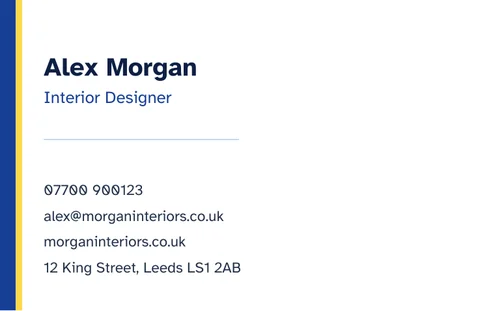
Classic
A navy and yellow edge, with room for every contact detail.
-

Modern dark
White and yellow on navy, with contact details on the right.
-
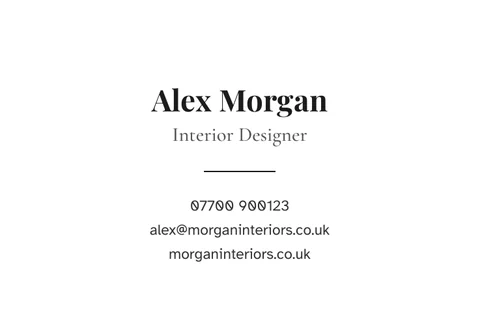
Minimal
Centred and simple, with plenty of white space.
-
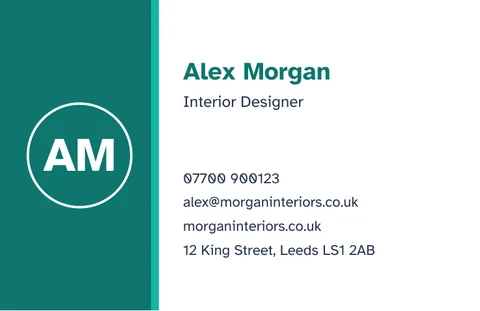
Colour block
Your initials in a circle beside your details.
-

Elegant
A cream card with a fine gold border.
-
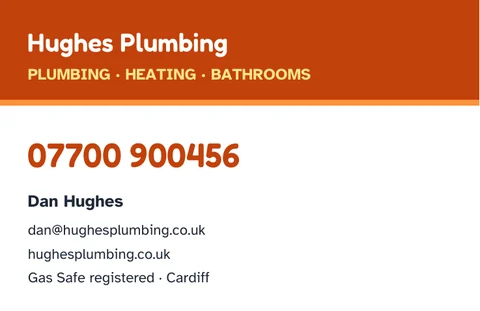
Tradesperson
Your business name up top and a big phone number.
What to put on a business card
- your name and job title, or what you do
- your business name, if you have one
- the phone number you actually answer
- an email address, ideally on your own domain rather than a free one
- your website, without the "https://" and "www."
- an address only if customers come to you
Less is more on a card this small. If you have to choose, keep the name, what you do, and one way to get in touch.
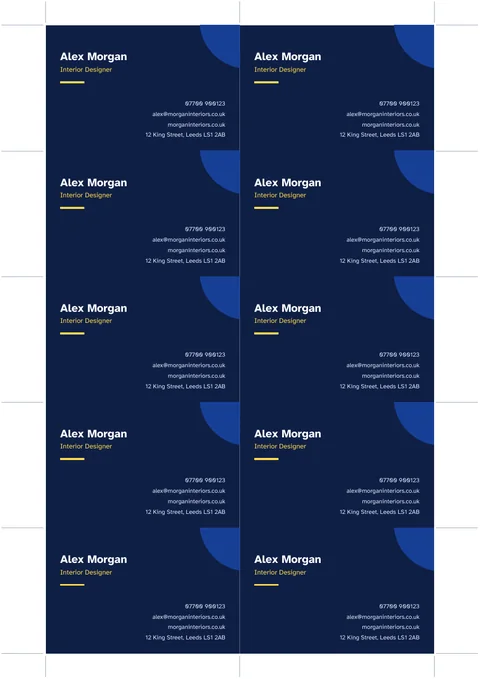
How to print business cards at home
- Load white card into your printer. 250 to 350 gsm feels like a proper business card; check how thick a card your printer takes.
- Print at actual size or 100%, not "fit to page", so the cards come out at exactly 85 × 55 mm.
- Switch on background graphics or colours, so the dark and coloured designs print.
- Cut along the marks with a paper trimmer, or a metal ruler and craft knife. Make the long cuts first.
For a print shop, ask what they need. Most want a PDF with 3 mm of "bleed" around each card. These templates are made for printing at home or in the office.
Make business cards in EdgeNote
EdgeNote, our notes app for Windows, makes a sheet of ten business cards for you, ready to print on A4:
- Open EdgeNote and click Templates at the top of the panel.
- Choose the Print tab, then Business cards.
- Type your details and print the sheet.
The same tab has address labels in common sizes and a calendar for any month, and the Designs tab has flyers, invitations and folded cards.
More free templates
Starting out on your own? Our quote template and invoice template go well with these cards, and our gift vouchers are handy if you sell services.
Questions
Are these business card templates really free?
Yes. Download them, print as many as you like and hand them out. There's no sign-up, and nothing of ours on the cards.
What size is a UK business card?
The standard UK size is 85 × 55 mm, which is what these templates use. Ten fit on a sheet of A4.
Is there a business card template for Word?
Yes, every design comes as a Word file with ten cards on an A4 page. Type over the example text, or use Replace (Ctrl + H) to change it on all ten cards at once.
Can I add my logo?
Yes, in Word: Insert, then Pictures, then set the picture to "In front of text" and drag it onto the first card. Then copy and paste it onto the others.
Can I print on both sides?
These templates are for the front only. For a two-sided card, leave the back blank or print a simple second sheet. Lining up both sides on a home printer can be tricky, so test on paper first.
Why are the cards slightly off when I print?
Make sure you print at actual size or 100%, not "fit to page". Home printers can also shift the page by a millimetre or two, so cut using the marks rather than the edges of the design.