 EdgeNote
Free menu templates
A café menu, a restaurant menu, a takeaway menu, a wedding or dinner gathering menu and a "today's specials" board. Change the dishes and prices in Word, or type into the fillable PDF, then print. Free, no sign-up, and nothing about us on your menu.
Updated October 2026. Made by the people behind EdgeNote. More in our free templates.
Pick a format
- Word (.docx): change everything, including the name, the section headings, the dishes and the prices. The design sits behind the text, so it stays put while you type.
- Fillable PDF: type your own dishes and prices into the boxes in Edge, Chrome or Adobe Reader, then print. No Word needed.
- Google Docs: upload the Word file to Google Drive and open it with Google Docs.
Menu templates
A4 unless it says otherwise. Click a picture to see it bigger.
-
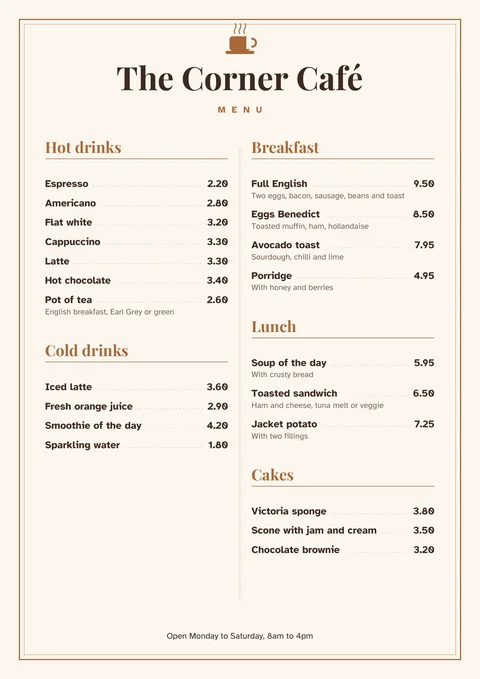
Café menu
Drinks on the left, food on the right, with dotted lines to the prices.
-
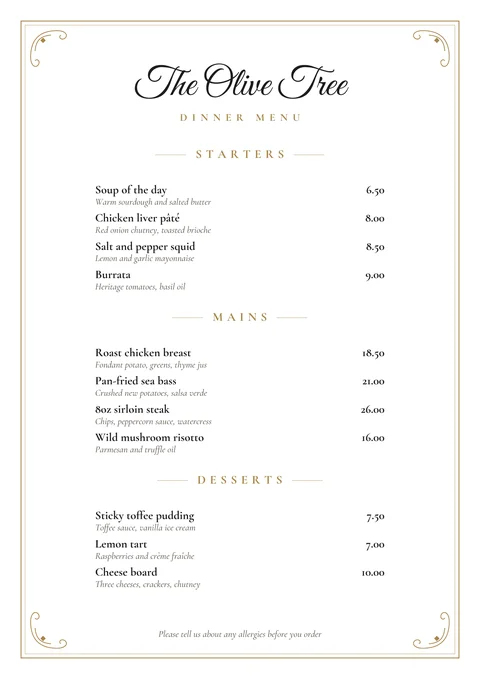
Restaurant menu
Starters, mains and desserts with a short line about each dish.
-
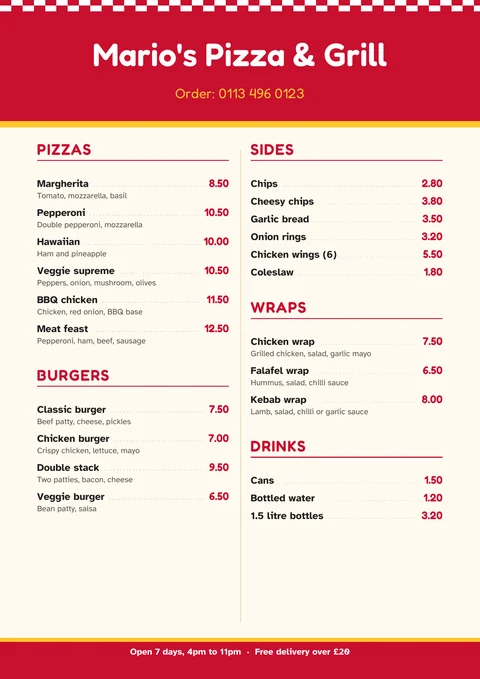
Takeaway menu
Bold red and yellow, with your phone number at the top and opening hours at the bottom.
-
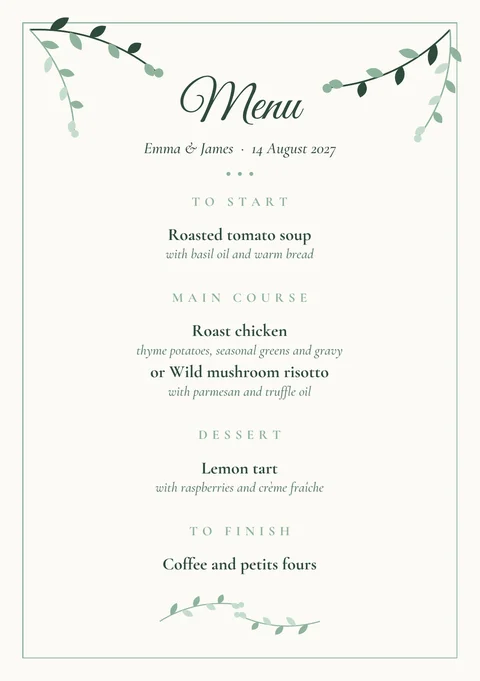
Wedding or dinner gathering menu
A5, with greenery to match our wedding invitation. One for each place setting.
-
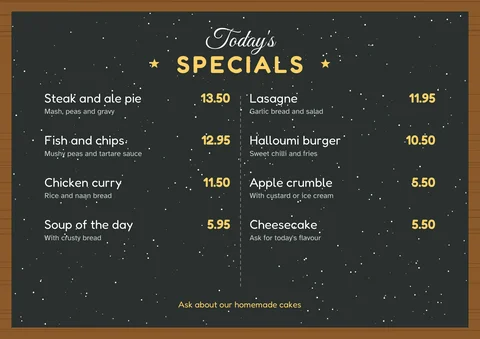
Today's specials board
A4 landscape, with a chalkboard look. Print it for the counter or a table stand.
The dishes and prices are examples. In Word, click any word to type over it. Print on thick paper or card (160 to 250gsm) for menus that last, or slip them into A4 or A5 menu covers.
How to make a menu that's easy to read
- Group dishes the way people order. Drinks, starters, mains and desserts, or breakfast, lunch and cakes, in the order they're eaten.
- Keep descriptions short. A few words on the main ingredients is enough, such as "chips, peas and tartare sauce".
- Line up the prices. Prices in one column on the right are easy to scan. All our templates do this for you.
- Fewer dishes, done well. A short menu is quicker to read and easier for the kitchen. Use a specials board for anything that changes daily.
- Check the spelling and the prices before printing. Then print one copy to check the colours before printing the rest.
Rules to know for UK food businesses
- Allergens: customers must be able to find out which of the 14 major allergens are in each dish. The Food Standards Agency now expects cafés, restaurants and takeaways to have written allergen information available, as well as asking customers about allergies. A line on the menu such as "Please tell us about any allergies before you order" helps.
- Calories: in England, businesses with 250 or more employees must show calories on their menus (GOV.UK guidance). Smaller businesses don't have to.
- Prices: show the full price customers will pay, including VAT. If you add a service charge, say so on the menu.
This is general information, not legal advice. Your local council's food safety team can help with the details.
Design your own menu in EdgeNote
EdgeNote, our notes app for Windows, has a page designer for menus, flyers and posters. Move text, pictures and shapes anywhere on the page, then print or save as a PDF:
- Open EdgeNote and click Templates at the top of the panel.
- Choose the Designs tab, then Café menu.
- Change the dishes, swap in your own photos, and print.
More free templates
Planning a wedding or gathering? Our invitation templates match. Running a café or takeaway? Try our staff rota templates, receipt templates and business cards.
Questions
Are these menu templates really free?
Yes. Download them, change them and print as many as you like, for your café, restaurant, takeaway or event. There's no sign-up, and nothing of ours on the menus.
Can I change the section headings, like "Hot drinks"?
Yes, in the Word versions everything can be changed, including the headings and the café or restaurant name. In the fillable PDF the headings are part of the design, so use the Word version if you need different ones.
How do I add more dishes?
In Word, click at the end of a price and press Enter, then type the new dish, press Tab and type its price. The price lines up on the right by itself. If the menu runs onto a second page, shorten some descriptions or make the text a little smaller.
Can I edit them in Google Docs or Canva?
For Google Docs, upload the Word file to Google Drive and open it with Google Docs. Canva can't open Word files directly, but you can upload the PDF to Canva and edit it there.
Will the fonts look the same?
The Word versions use fonts that come with Windows and Microsoft Office, such as Georgia and Segoe UI, so they look right on most PCs. On a Mac or in Google Docs, similar fonts are used instead.
What size do they print?
A4, except the wedding menu, which is A5 (half of A4). Most home printers take A5 paper or card: choose A5 as the paper size when you print. A print shop can also print them two to an A4 sheet and cut them.